Cloud Migration Guide for SMEs: A Step-by-Step Roadmap for a Successful Cloud Journey
Small and medium-sized enterprises (SMEs) are under increasing pressure to become more agile, secure, and cost-efficient. Traditional on-premises IT infrastructure often requires significant investments in hardware, maintenance, and ongoing upgrades, making it difficult for growing businesses to scale quickly.
Cloud migration offers a smarter alternative. By moving applications, data, and workloads to the cloud, SMEs can improve operational efficiency, reduce infrastructure costs, enhance security, and support remote teams more effectively.
Whether you're planning your first cloud migration or looking to modernize legacy systems, this guide explains everything SMEs need to know—from benefits and migration strategies to challenges, best practices, and how True Value Infosoft can help you build a future-ready cloud infrastructure.
What Is Cloud Migration?
Cloud migration is the process of moving an organization's applications, databases, workloads, and digital assets from on-premises infrastructure or legacy systems to a cloud environment.
Businesses may migrate to:
- Public Cloud
- Private Cloud
- Hybrid Cloud
- Multi-Cloud Environment
A well-planned migration improves scalability, business continuity, performance, and operational flexibility.
Why SMEs Should Move to the Cloud
Cloud computing allows businesses to access enterprise-grade technology without investing heavily in physical infrastructure.
Key advantages include:
- Lower infrastructure costs
- Faster deployment
- Better scalability
- Improved collaboration
- Enhanced data security
- Automatic software updates
- Business continuity and disaster recovery
- Remote accessibility
For SMEs with limited IT resources, cloud migration provides the flexibility needed to compete in today's digital economy.
Signs Your Business Is Ready for Cloud Migration
Your business may benefit from cloud migration if you experience:
- Rising IT maintenance costs
- Slow application performance
- Difficulty scaling infrastructure
- Frequent hardware failures
- Security concerns
- Limited remote access
- Outdated legacy systems
- Increasing storage requirements
Recognizing these signs early helps organizations plan a smoother migration.
Types of Cloud Migration Strategies
1. Rehosting (Lift and Shift)
Applications are moved to the cloud with minimal changes.
Best for:
- Fast migration
- Legacy applications
- Minimal downtime
2. Replatforming
Applications are optimized slightly during migration to improve cloud performance.
Suitable for businesses wanting better performance without a complete redesign.
3. Refactoring
Applications are redesigned to fully leverage cloud-native services.
Ideal for organizations seeking long-term scalability, flexibility, and performance.
4. Repurchasing
Businesses replace legacy software with cloud-based SaaS applications.
Examples include:
- CRM platforms
- HR software
- Accounting software
- Project management tools
5. Retiring
Outdated applications that no longer provide business value are removed before migration.
Step-by-Step Cloud Migration Process
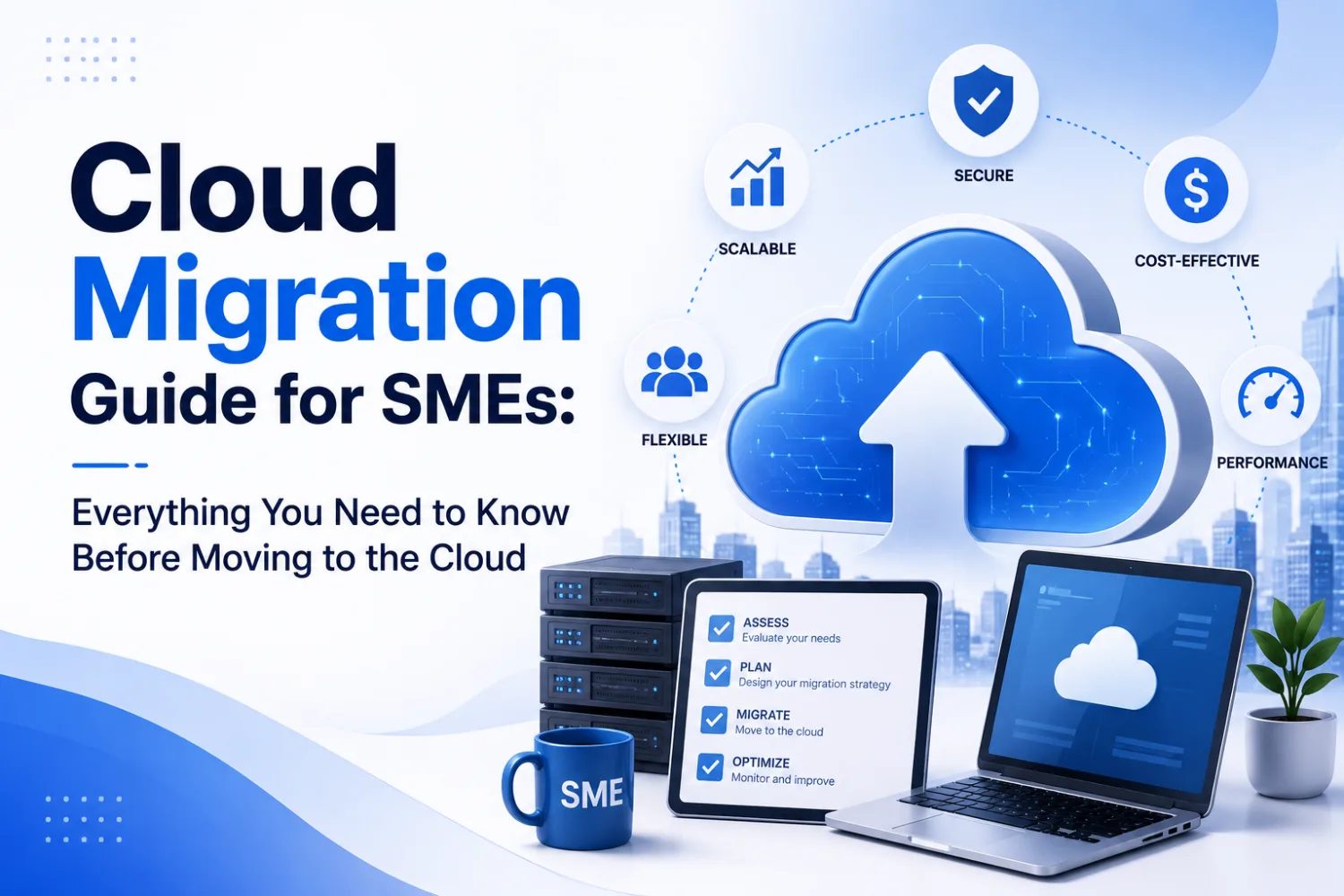
Step 1: Assess Existing Infrastructure
Evaluate:
- Applications
- Databases
- Servers
- Storage
- Dependencies
- Security requirements
A thorough assessment reduces migration risks.
Step 2: Define Business Goals
Clearly identify why you're migrating.
Examples include:
- Cost reduction
- Better security
- Higher availability
- Scalability
- Disaster recovery
- Faster innovation
Step 3: Choose the Right Cloud Platform
Popular cloud providers include:
- Amazon Web Services (AWS)
- Microsoft Azure
- Google Cloud Platform (GCP)
The right choice depends on workload requirements, budget, compliance, and business objectives.
Step 4: Develop a Migration Plan
Create a roadmap covering:
- Timeline
- Resource allocation
- Data migration
- Application migration
- Testing
- Rollback strategy
Planning minimizes disruption during migration.
Step 5: Migrate Applications and Data
Transfer applications and databases securely while monitoring performance throughout the process.
Step 6: Test Everything
Verify:
- Application functionality
- Security
- Performance
- Data integrity
- User access
- Backup systems
Step 7: Optimize Cloud Resources
Migration doesn't end after deployment.
Businesses should continuously optimize:
- Cloud costs
- Resource utilization
- Security
- Performance
- Monitoring
- Automation
Benefits of Cloud Migration
Lower IT Costs
Reduce expenses related to servers, hardware, maintenance, and upgrades.
Improved Scalability
Scale computing resources as business demand changes.
Better Security
Leading cloud providers offer encryption, identity management, backup, and compliance tools.
Business Continuity
Cloud platforms improve disaster recovery and minimize downtime.
Increased Productivity
Employees can securely access applications from anywhere.
Faster Innovation
Businesses can deploy new applications and services much faster.
Common Cloud Migration Challenges
Although cloud migration offers many benefits, organizations should prepare for potential challenges.
Data Security
Sensitive business information must remain protected throughout the migration process.
Downtime Risks
Poor planning can interrupt business operations.
Legacy Application Compatibility
Older applications may require modernization before migration.
Cost Management
Without proper governance, cloud spending can increase unexpectedly.
Compliance Requirements
Organizations must meet industry regulations related to data storage and privacy.
Best Practices for a Successful Cloud Migration
To maximize success, SMEs should:
- Start with a migration assessment
- Prioritize business-critical workloads
- Implement strong security controls
- Backup all critical data
- Train employees
- Monitor cloud performance
- Optimize costs regularly
- Work with experienced cloud migration experts
Following these practices reduces risk and improves long-term ROI.
Future of Cloud Migration
Cloud adoption continues to evolve beyond infrastructure migration.
Emerging trends include:
- AI-powered cloud management
- Serverless computing
- Edge computing
- Hybrid cloud strategies
- Multi-cloud deployments
- Cloud-native application development
- Kubernetes and containerization
- Automated cloud operations
These technologies help businesses become more agile, resilient, and competitive.
How True Value Infosoft Helps SMEs Migrate to the Cloud
At True Value Infosoft, we help businesses modernize their IT infrastructure through secure and scalable cloud solutions.
Our cloud expertise includes:
- Cloud Migration Services
- AWS Cloud Solutions
- Microsoft Azure Development
- Google Cloud Platform (GCP) Solutions
- Cloud Application Development
- Cloud Infrastructure Management
- DevOps Consulting
- Kubernetes Deployment
- Cloud Security Solutions
- Disaster Recovery & Backup
- Managed Cloud Services
Whether you're migrating a business application, modernizing legacy systems, or building a cloud-native platform, our team delivers reliable cloud solutions tailored to your business goals.
Conclusion
Cloud migration is no longer just an option for SMEs—it's a strategic investment that supports business growth, operational efficiency, and long-term scalability. By adopting the right migration strategy, choosing the appropriate cloud platform, and following best practices, businesses can reduce costs, improve security, and accelerate innovation.
As cloud technologies continue to evolve, organizations that embrace digital transformation today will be better positioned to adapt to future market demands.
If you're planning your cloud migration journey, True Value Infosoft can help you assess, migrate, optimize, and manage your cloud infrastructure with confidence.